 KidCue
Mornings should not start with a fight.
The routine is clear in your head—not theirs. KidCue turns it into real photo cues your child can see and follow, so you do not have to carry every step out loud.
Plans from $9.99/month • iPhone & iPad
You are not short on patience. You are carrying the whole routine.
When every next step has to come from you, even a familiar morning becomes exhausting.
You ask once, then five more times
Shoes, teeth, bag, jacket; every step resets.
One transition, one meltdown
Screen off or play stop flips the mood fast.
Late, rushed, and already exhausted
You become the clock, coach, and referee.
How it works
When the routine becomes visible, everything changes.
Kids can see what is happening now, know what comes next, and repeat the same flow until it feels familiar.
See what is happening now
Real photos turn spoken instructions into something concrete.
Know what comes next
Gentle timing makes transitions easier to anticipate.
Repeat until it feels familiar
A stable order helps kids begin to follow without another reminder.
See KidCue in action
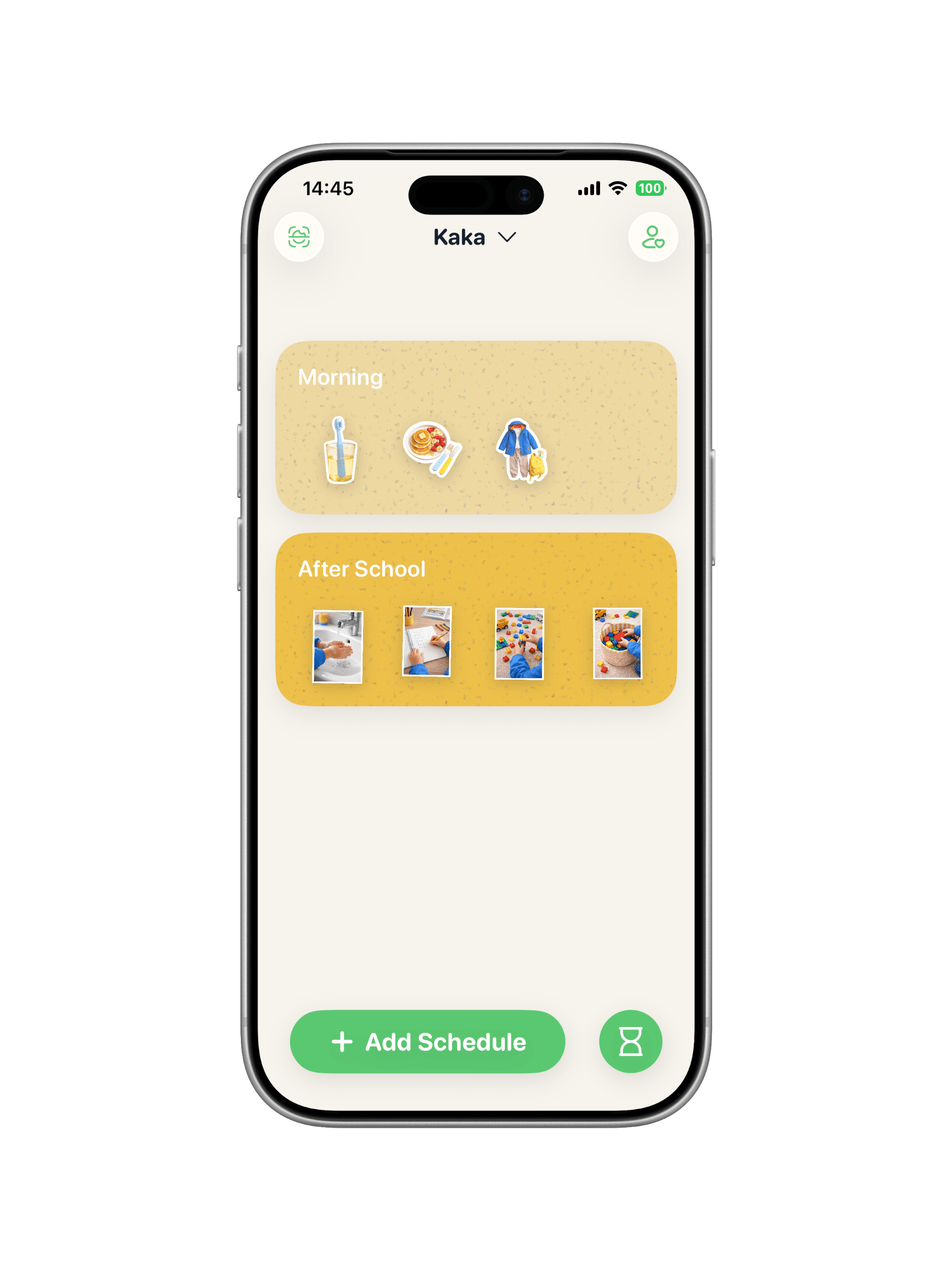
Put the routine where your child can see it.
Set it up once with real photos and gentle timing. KidCue helps carry the daily repetition, so every next step does not have to come from you.
- 1Build one short routine with photos your child recognizes.
- 2Use the same visual order every day until it feels familiar.
- 3Add gentle timers only where transitions usually break down.
 Real cues
 Photo capture
Week one
What families may notice first.
Pricing
Start on iOS with the plan that fits your family
Monthly subscription · $9.99
Flexible option for families who want to try KidCue first.
Yearly subscription · $39.99
About $3.33/month. Save 67% compared with monthly billing.
Lifetime access · $129.99
One payment with no recurring subscription.
Final pricing and availability are shown in the App Store by region.
Frequently asked questions
Privacy, pricing, and how KidCue fits your family’s rhythm.
What is a visual schedule for kids?+
It’s a way to show routines and time visually so kids can see what’s now and next—especially helpful for ADHD, autistic kids, and any child who needs clearer transitions.
Is KidCue free or paid?+
KidCue is paid. Current US pricing: Monthly $9.99, Yearly $39.99, and Lifetime Access $129.99. No ads, no data selling, and no surprise paywalls.
Does it work for mornings and bedtime?+
Yes. Morning, after-school, and bedtime flows are built-in and easy to adjust.
How does KidCue handle privacy?+
Your photos stay private. No ads, no data sharing—routines are built for your family, not for ads.
Does it help kids with ADHD or autism?+
Predictable visuals and gentle sounds can help some neurodivergent kids feel more prepared for what comes next.
What age is a visual schedule for?+
Visual schedules can help toddlers through early elementary. Younger kids see what’s next; older kids use it to build independence and manage transitions.
Is there an Android or web version?+
KidCue is currently available on iPhone and iPad in the App Store.
Put the routine where your child can see it.
Build your first visible routine on iPhone or iPad.